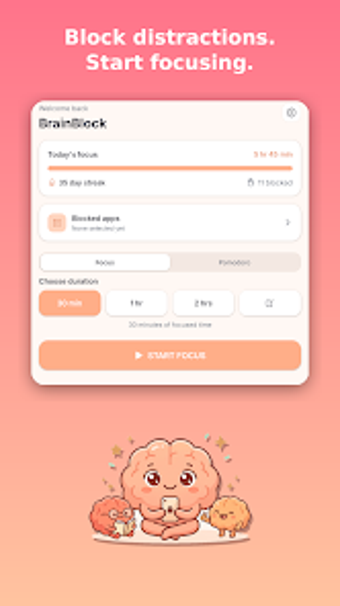
App time control and distraction blocking for Android productivity seekers
BrainBlock - App Blocker from Nex Innovations LLC helps Android users regain control of device time and reduce distraction by enforcing per-app limits and temporary lockouts. The app blocks chosen social media and games, offers a focus mode that silences nonessential interruptions, and supplies daily and weekly usage reports to track habits. With a simple setup and clear controls, it targets students, professionals, and anyone trying to cut smartphone interruptions during work or study periods.
What BrainBlock actually does on your device
BrainBlock targets app-driven distraction by letting users choose which applications to restrict and how. The app supports per-app daily time limits, temporary lockouts via a focus mode, and activity reports that show daily and weekly patterns. Setup is aimed at quick configuration, with immediate rule application after granting the necessary Android permissions. Key functions include:
- App selection and blocking
- Per-app daily limits
- Focus sessions and usage insights
Does it slow down your system during operation?
The app is built for modern Android standards and runs on devices from Android 5.0 and up, which keeps compatibility broad. Nex Innovations' background in AI and web technologies is cited in the product notes, and the app's simple design aims to limit background activity. Enforcement of restrictions uses standard Android usage-access permissions rather than invasive system hooks, which reduces the chance of intrusive processes running continuously.
Is it safe to use on a personal device?
Safety and privacy are emphasized by the developer, which notes the app typically requires only Android's usage statistics permission to apply rules. That permission lets the app observe foreground activity to decide when to block, without stating that it uploads or shares personal content. Users concerned about data handling should review Android permission screens during setup, since the app enforces rules based on local usage information.
Do I need technical knowledge to operate BrainBlock?
The interface is described as simple, so basic controls let most users set limits without technical steps. The developer positions the tool as part of a broader digital-wellbeing suite, which makes it suitable for people who prefer a focused app rather than a feature-heavy utility. Users seeking granular automation or deep scheduling may find the app intentionally compact, since the product emphasizes core blocking over extended configuration options.
A practical Android-first choice for focused habit change
BrainBlock is a practical option for students and professionals who need straightforward control over phone use on Android devices, and its compact design supports consistent habit change. The main trade-off is platform exclusivity, since it runs only on Android. Expect a short learning curve while establishing new routines; treat the app as a behavioral aid rather than a deep configuration tool.